Most podcast microphones are bought twice. The first purchase is a cheap USB mic that works until the room, the voice or the ambition outgrows it. The second is an XLR microphone, an audio interface and a set of cables that turns a simple recording into a small engineering project. The Shure MV7+ exists to collapse those two purchases into one, and it does so more convincingly than almost anything else at its price.

That does not make it the right first microphone for everyone. The MV7+ is a tool for a specific problem: getting broadcast-adjacent voice quality in a room that was never designed for recording, without learning signal flow first.
The verdict at a glance
| Rating | 4.5 / 5 |
| Best for | Podcasters, streamers and voiceover hobbyists recording in untreated rooms |
| Connection | USB-C and XLR, usable simultaneously |
| Buy it if | You want studio-adjacent voice quality with zero outboard gear |
| Skip it if | You need condenser-level detail, 96 kHz capture, or you already own a good interface |
| The one-line summary | The most forgiving serious microphone for a bedroom studio |
Why a dynamic capsule is the right choice here
The MV7+ uses a moving-coil dynamic capsule with a cardioid pickup pattern. That combination is not an accident, and it explains most of the microphone’s behaviour.
A dynamic capsule is less sensitive than a condenser. That sounds like a disadvantage until you record in a room with hard walls, a window and a laptop fan. A less sensitive capsule picks up less of the room, so the ratio between your voice and its reflections improves. The cardioid pattern reinforces that by rejecting sound arriving from behind the microphone, where most wall reflection originates in a typical desk setup.
The practical result is a voice that sounds close and dry without acoustic treatment. It will not match a treated booth and a large-diaphragm condenser, but it gets closer than the price and the room suggest. This is why the SM7B became a podcast standard, and why the MV7+ inherits that family resemblance. The trade-off is gain: dynamic microphones need more of it, which is exactly what the built-in preamp solves.
What the “plus” adds over the MV7
The original MV7 proved the hybrid concept. The MV7+ is the version that behaves like a modern USB device.
The most visible change is the touch panel, which replaces physical controls with an LED-lit interface for mute, headphone volume and monitor mix. The lighting can be customised — easy to dismiss as gamer decoration, except that a mute indicator visible from across a desk is genuinely useful when you record alone.
Underneath, the DSP suite is the real upgrade. Auto Level continuously adjusts gain to keep your voice inside a target range, the single most useful feature for anyone recording without an engineer. Digital Popper Stopper reduces plosive energy in software, the Denoiser suppresses steady background noise, and the reverb effect is best treated as a novelty.
None of this replaces good technique. Auto Level can pump if you laugh loudly, and the Denoiser introduces artefacts on sustained consonants if pushed hard. Used gently, they turn a usable take into a publishable one, which is the job.
The MV7+ records at 24-bit/48 kHz over USB. That is the right specification for voice: 48 kHz is the standard for video and podcast delivery, and 24-bit gives you enough headroom. Anyone who insists on 96 kHz for spoken word is solving a problem that does not exist, but it is worth knowing that the ceiling is lower than some studio interfaces.
USB versus XLR, and why both matter
The MV7+ can output over USB-C and XLR at the same time. In practice, that means you can record a clean digital track to your computer while feeding a mixer or camera with the analogue signal, without a splitter.
This flexibility is the reason to buy the MV7+ rather than a cheaper USB-only model. Start with USB and the built-in DSP; when you add an interface or a recorder, the XLR output keeps working. The microphone does not become redundant when your setup improves, which is not true of most entry-level USB mics.
The catch: over XLR you lose the DSP. Auto Level, the Denoiser and touch-panel monitoring are USB-side features. If you intend to use an interface from day one, you are paying for features you will not use, and a plain dynamic microphone plus an interface is more rational. The hybrid design is a path, not a simultaneous best-of-both.
Monitoring, latency and the headphone output
The 3.5 mm output supports direct monitoring, so you hear yourself without a round trip through the computer. For podcasting and voiceover that is essential: hearing your own voice with latency is disorienting and makes people change their delivery without realising it. The headphone amp is adequate for typical headphones and in-ears, but not for high-impedance studio models at loud volumes.
Monitor mix control balances the microphone against computer playback, useful for recording to a backing track or interviewing over a call. It is a small feature that separates a product designed for solo creators from one designed for a studio.
Placement, technique and the accessories you still need
A dynamic microphone rewards proximity. The general starting point is a hand’s width from the mouth, slightly off-axis so you are speaking across the capsule rather than directly into it. That reduces plosives and lets the cardioid pattern do its job.
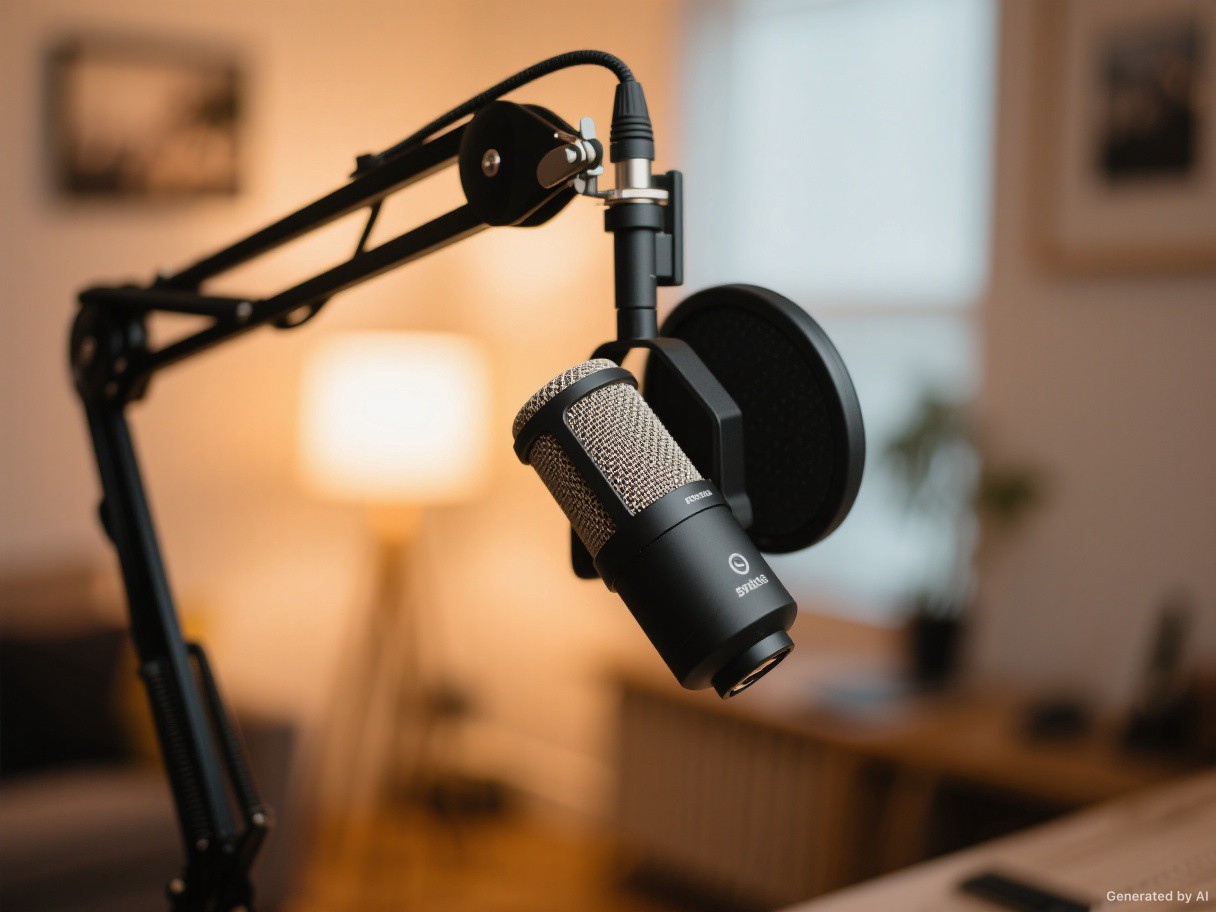
The MV7+ does not include a boom arm or a shock mount in the base package. Both matter. A desk stand transmits keyboard vibration directly into the microphone, and a boom arm lets you position the mic properly without leaning forward for an entire session. Budget for both; a good arm and a shock mount will improve your recordings more than any software setting.

The touch panel is responsive but easy to brush accidentally if the microphone is positioned close to your hands. Mute confirmation is clear, which mitigates the risk, but it is worth setting the panel’s brightness and behaviour once and then leaving it alone.
Where the MV7+ falls short
- No 96 kHz recording. Irrelevant for voice, relevant if you want one microphone for everything.
- DSP is USB-only. XLR users lose the features that justify the price premium.
- Reverb is a gimmick. It is not a substitute for a real room or a real reverb plugin.
- Accessories are extra. No arm or shock mount in the box.
- Dynamic capsule needs commitment. You must stay close to the microphone; it is unforgiving of bad placement.
- Not a condenser. It will not deliver the airy detail some voiceover work demands.
Shure MV7+ vs the alternatives
| Microphone | Type | Connection | Best for |
|---|---|---|---|
| Shure MV7+ | Dynamic, cardioid | USB-C + XLR | One-mic setups that may grow |
| Shure MV7 | Dynamic, cardioid | USB-C + XLR | Same idea, fewer DSP features |
| Shure SM7dB | Dynamic, cardioid | XLR with built-in preamp | Interface owners who want the broadcast sound |
| Rode PodMic USB | Dynamic, cardioid | USB-C + XLR | Budget alternative with similar flexibility |
The SM7dB is the better microphone for a treated room and an existing interface. The MV7+ is the better purchase for someone starting from a laptop and a bedroom. The Rode is the value option and a legitimate choice, though its DSP and monitoring are less polished.
If you are building a broader desk setup, our audio coverage — including noise-cancelling earbuds for commuting and travel — is worth a look for the listening side of the equation.
Who should buy the Shure MV7+
Buy it if you record voice regularly, your room is imperfect, and you want one device that works today over USB and tomorrow over XLR. It is also a strong choice for streamers who want a physical mute control and a microphone that does not pick up their keyboard.
Skip it if you already own a good audio interface and a condenser, if you need high-resolution capture for music, or if you are unwilling to buy a boom arm. In those cases, a dedicated microphone and interface will serve you better for the same money.
FAQ
Is the Shure MV7+ good for beginners?
Yes, provided you accept that placement matters. The USB connection and Auto Level make it forgiving, but a dynamic microphone still needs to be close to your mouth to sound right.
Does the MV7+ work with a phone or tablet?
It connects over USB-C, so it works with devices that support USB audio input, including many phones and tablets with the right cable or adapter. Check your device’s power and compatibility first.
Can you use USB and XLR at the same time?
Yes. That lets you record digitally while sending an analogue feed to a mixer or camera.
Do you need an audio interface?
No. That is the point of the USB connection. An interface only becomes useful if you want to use the XLR output, add other microphones, or process the signal in hardware.
Is the MV7+ better than the SM7B for podcasting?
For a solo podcaster working from a laptop, yes — the USB connection, monitoring and DSP make it far easier to use. For a treated studio with an interface, the SM7B family remains the reference.
Verdict
The MV7+ is the rare hybrid product that justifies both halves of its design. As a USB microphone it is forgiving, well-monitored and quietly clever about gain. As an XLR microphone it is a solid dynamic capsule that will still be useful when the rest of your setup catches up. The DSP features are genuinely helpful rather than decorative, and the build quality is what you would expect from Shure.
Its limits are the limits of the format: no 96 kHz, DSP that disappears over XLR, and a need for accessories that are not in the box. None of those matter for the person this microphone is aimed at. If you are recording voice in a normal room and want to stop thinking about gear, this is the one to buy.
Evidence note: specifications are Shure’s published figures. Sound-quality and workflow statements describe the implications of the capsule, preamp and DSP design and are labelled as assessment rather than measured test data.